
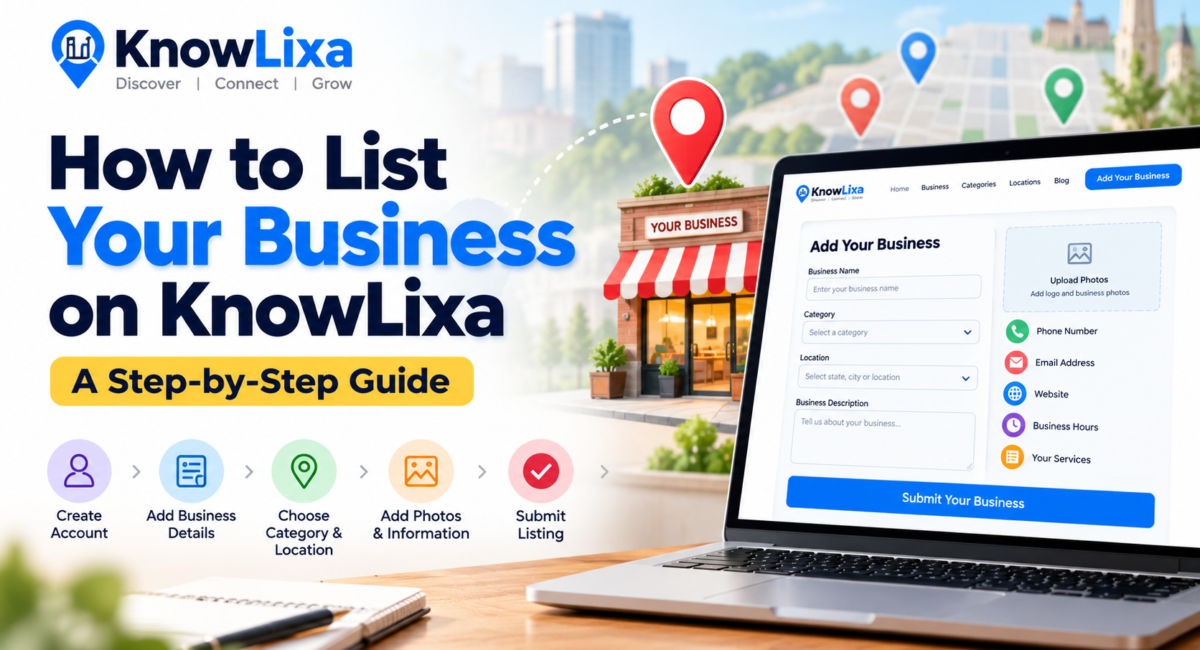
How to List Your Business on KnowLixa
- September 29, 2026
- knowlixalisting
- (0)
- Business
Today, customers often search online before choosing a business, restaurant, shop, service provider or professional. Having accurate business information available online can make it easier for people to discover and learn about your business.
KnowLixa provides a platform where businesses can create a listing with important information such as their business name, category, location, contact details, website, services and more.
If you own or manage a business and want to add it to KnowLixa, the process is simple.
What Is a KnowLixa Business Listing?
A KnowLixa business listing is a dedicated online profile for your business.
Depending on the information you provide, your listing can include:
- Business name
- Business category
- State and city
- Business address
- Phone number
- Email address
- Website
- Business description
- Services
- Business hours
- Photos and logo
- Social media profiles
- Other relevant business information
A complete listing makes it easier for visitors to understand what your business offers and how they can contact you.
How to Add Your Business to KnowLixa
Step 1: Visit KnowLixa
Go to the KnowLixa website and select:
You can also access the listing submission page directly from the website’s navigation.
The submission page is designed for businesses that want to create a new listing on KnowLixa.
Step 2: Create or Log In to Your Account
If you already have a KnowLixa account, sign in before submitting your business.
If you are a new user, create an account using your email address and the required registration information.
Your account allows you to manage your listing later and keep your business information updated.
Step 3: Enter Your Business Name
Start by entering the official name of your business.
For example:
Use the name customers actually recognize rather than adding unnecessary keywords.
Good example
HariG Home Care
Avoid
Best Home services provider in India
Your business name should accurately represent your actual business.
Step 4: Select the Right Category
Choose the category that best represents your primary business activity.
For example:
- Restaurant
- Bakery
- Hotel
- Jewellery
- Accounting & Finance
- Education & Training
- Healthcare
- Real Estate
- Digital Marketing
- Automotive
- Beauty & Wellness
- Shopping & Retail
Selecting the appropriate category helps visitors discover businesses according to their interests and requirements.
If your business provides multiple services, use the description and services sections to explain them rather than selecting unrelated categories.
Step 5: Select Your Location
Enter your business location accurately.
KnowLixa uses location information to help visitors discover businesses in specific areas.
Depending on your business location, you may need to select information such as:
State → City → Address
For example:
India → Bangalore → Your Business Address
Make sure your location information is accurate because customers may use it to find or contact your business.
Step 6: Add Your Contact Information
Add the contact information that customers can use to reach your business.
This may include:
- Phone number
- Business email
- Website
- Address
Before submitting, double-check every number and email address.
A simple typing mistake could prevent a potential customer from contacting you.
Step 7: Write a Useful Business Description
Your business description should explain what your business does and what customers can expect.
Instead of writing only:
We are a good company providing many services.
write something more informative:
HariG Home Care provides best home services like; water purifier solutions, electrical services, plumbing solutions, AC installation & maintenance, and home paintaing services in Bhubaneswar & cuttack.
Keep the description clear and factual.
Avoid excessive keyword repetition.
Step 8: Add Your Services
If the listing form provides a services section, use it to describe the main services or products your business offers.
For example, a Home care service provider might list:
- Water purifier solutions
- Electrical services
- Plumbing services
- AC maintenance
- Home painting
- Welding services
This helps visitors quickly understand what your business provides.
Step 9: Add Business Hours
If applicable, add your regular operating hours.
For example:
Monday – Saturday: 9:00 AM – 6:00 PM
Sunday: Closed
Keeping your hours updated helps visitors know when they can contact or visit you.
If your business has different seasonal or holiday hours, update your listing when necessary.
Step 10: Add Photos and Your Logo
A professional-looking listing can provide visitors with more information about your business.
Where available, add:
- Business logo
- Cover image
- Storefront photo
- Office photo
- Product photos
- Service-related images
Use clear, relevant images that represent the actual business.
Avoid uploading unrelated stock images or images that you do not have permission to use.
Step 11: Add Your Website and Social Profiles
If your business has an official website, add it to your listing.
You can also add relevant social media profiles where the listing form supports them.
For example:
- Website
- YouTube
Make sure these links lead to your official business profiles.
Step 12: Review Your Information
Before submitting your listing, check everything carefully.
Final checklist
☑ Business name is correct
☑ Category is relevant
☑ State and city are correct
☑ Address is accurate
☑ Phone number is correct
☑ Email is correct
☑ Website works
☑ Description is complete
☑ Services are listed
☑ Business hours are correct
☑ Logo is uploaded
☑ Photos are relevant
☑ Social links work
A few minutes of checking can make a big difference to the quality of your listing.
Step 13: Submit Your Business
Once you have completed the required information, submit your listing.
Depending on KnowLixa’s moderation process, your listing may be reviewed before becoming publicly available.
After publication, you can return to your account to manage the listing and keep your information updated.
Already Listed on KnowLixa?
If you find that your business is already listed on KnowLixa, don’t create a duplicate listing.
Instead, look for the:
Claim This Business
option on the existing business profile.
The claim process is intended for business owners or authorized representatives who want to manage an existing listing.
This helps keep business information organized and reduces duplicate listings.
Why Keep Your KnowLixa Listing Updated?
Your business can change over time.
You may change:
- Phone numbers
- Business hours
- Website
- Address
- Services
- Photos
- Social media accounts
Regularly reviewing your listing helps ensure that visitors see accurate information.
If your business information changes, update your KnowLixa profile whenever possible.
Tips for Creating a Better Business Listing
1. Use accurate information
Don’t add information that is misleading or unrelated to your business.
2. Use a clear description
Explain what you actually provide.
3. Upload genuine images
Use photos that represent your business, products or services.
4. Keep contact details updated
Make sure visitors can reach you.
5. Choose the right category
The category should reflect your primary business activity.
6. Avoid keyword stuffing
Write for people first rather than repeatedly inserting keywords.
7. Update your listing
Treat your business profile as an ongoing business information page rather than something you create once and forget.
Start Listing Your Business on KnowLixa
Whether you run a restaurant, retail store, hotel, professional service, educational institution, agency, healthcare business or another type of business, you can create a business profile on KnowLixa.
Ready to add your business?
👉 Add Your Business on KnowLixa
If your business is already listed, look for Claim This Business on your existing profile.
FAQs
Is it free to list a business on KnowLixa?
If your current KnowLixa listing submission is free, you can state this clearly here. Avoid promising that all future listing options will always be free if you plan to introduce premium features.
Can I edit my business listing later?
Yes. Once your listing is associated with your KnowLixa account, you can manage the available listing information through your account.
What if my business is already listed?
Don’t create a duplicate listing. Use the Claim This Business option on the existing listing if you are the owner or authorized representative.
Can I add a business from any Indian city?
KnowLixa is being developed as an India-focused business discovery platform, with businesses organized by categories and locations.
What information should I add to my listing?
At minimum, provide your accurate business name, category, location and contact information. Adding a useful description, services, business hours, website, logo and photos can make the profile more informative.

Leave a Comment